Works on ChatGPT, Claude, Gemini & more

Launch prompts. Run AI workflows. Stay inside your AI chats.

Workflowly lets you launch prompts, capture AI outputs, and continue multi-step workflows directly in ChatGPT, Claude, Gemini, and more — without switching tabs or copying and pasting.

No account required · Free forever plan · 2 min setup
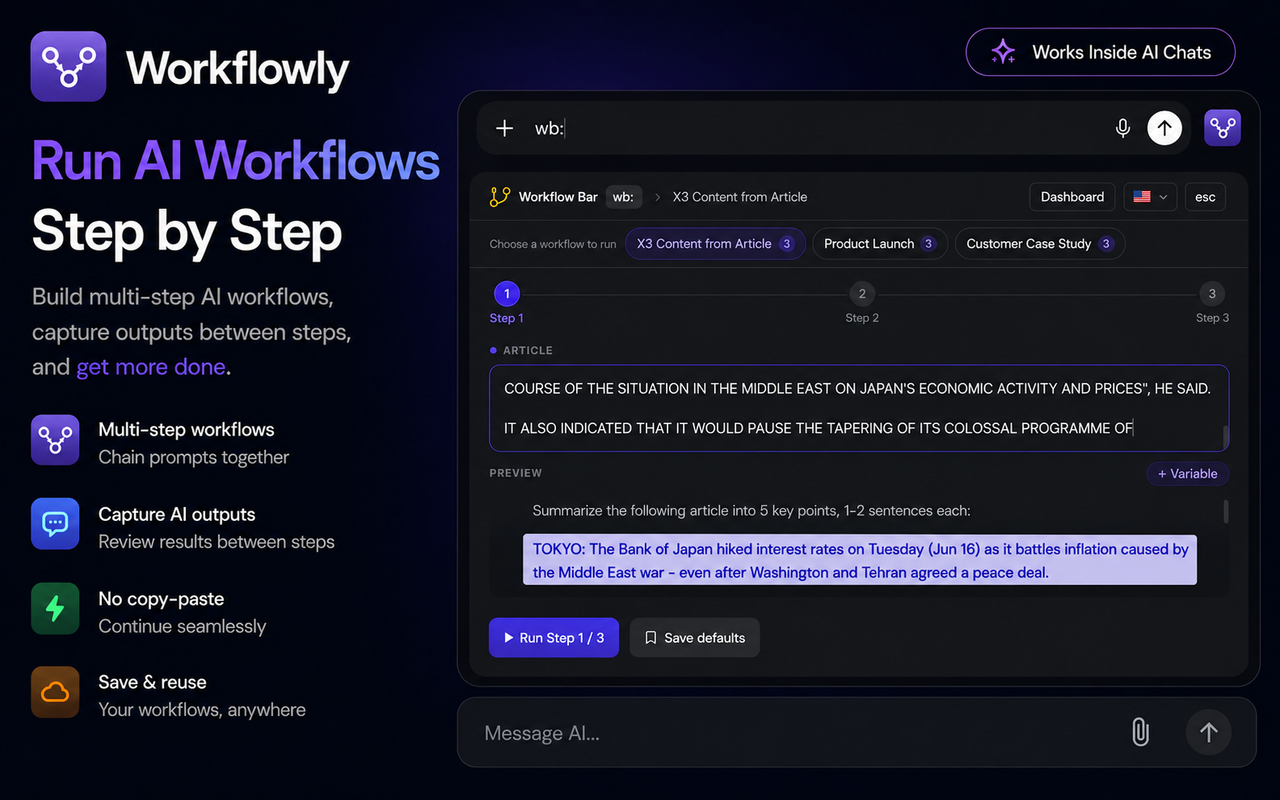
Workflowly screenshot
Screenshot 1
Screenshot 2
Screenshot 3
Screenshot 4
Screenshot 5

Everything you need.
Nothing you don't.

Four core features that make Workflowly unlike anything else out there.

Run AI Workflows
Step by Step

Build multi-step AI workflows, capture outputs between steps, and get more done.

Multi-step workflows
Chain prompts together
Capture AI outputs
Review results between steps
No copy–paste
Continue seamlessly
Save & reuse
Your workflows, anywhere
Manual trigger, always on demand
Smart Bar

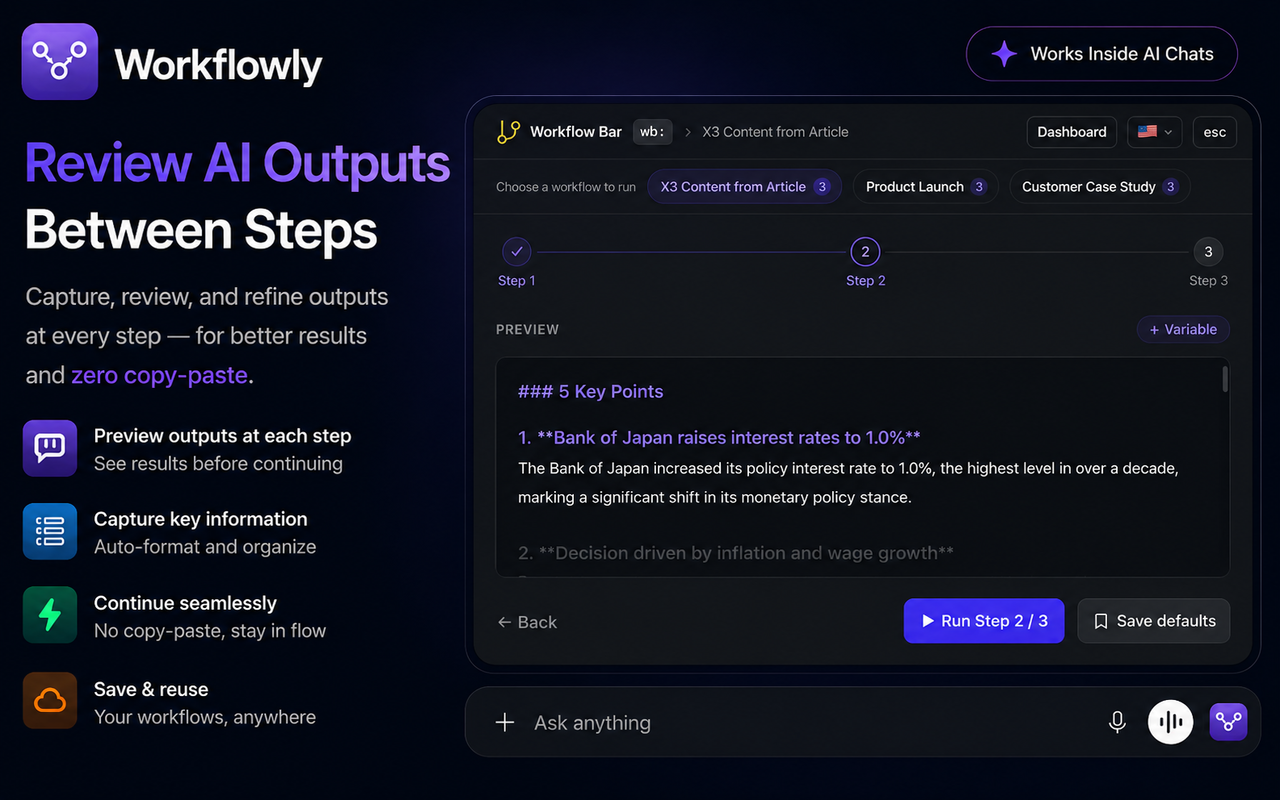
Review AI Outputs
Between Steps

Capture, review, and refine outputs at every step — for better results and zero copy-paste.

Preview outputs at each step
See results before continuing
Capture key information
Auto-format and organize
Continue seamlessly
No copy-paste, stay in flow
Save & reuse
Your workflows, anywhere
1-click from anywhere
Popup Launcher

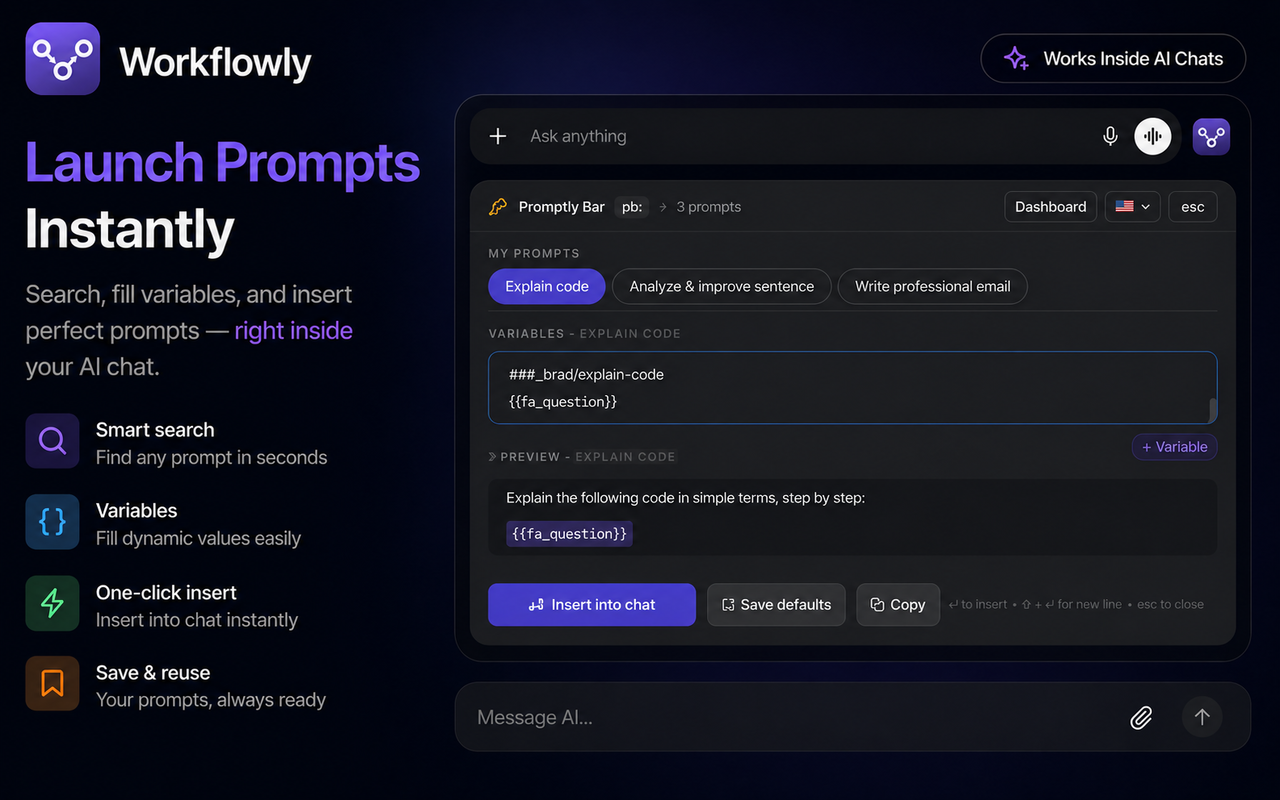
Launch Prompts
Instantly

Search, fill variables, and insert perfect prompts — right inside your AI chat.

Smart search
Find any prompt in seconds
Variables
Fill dynamic values easily
One-click insert
Insert into chat instantly
Save & reuse
Your prompts, always ready
Pro — auto-snapshot on every edit
Version History

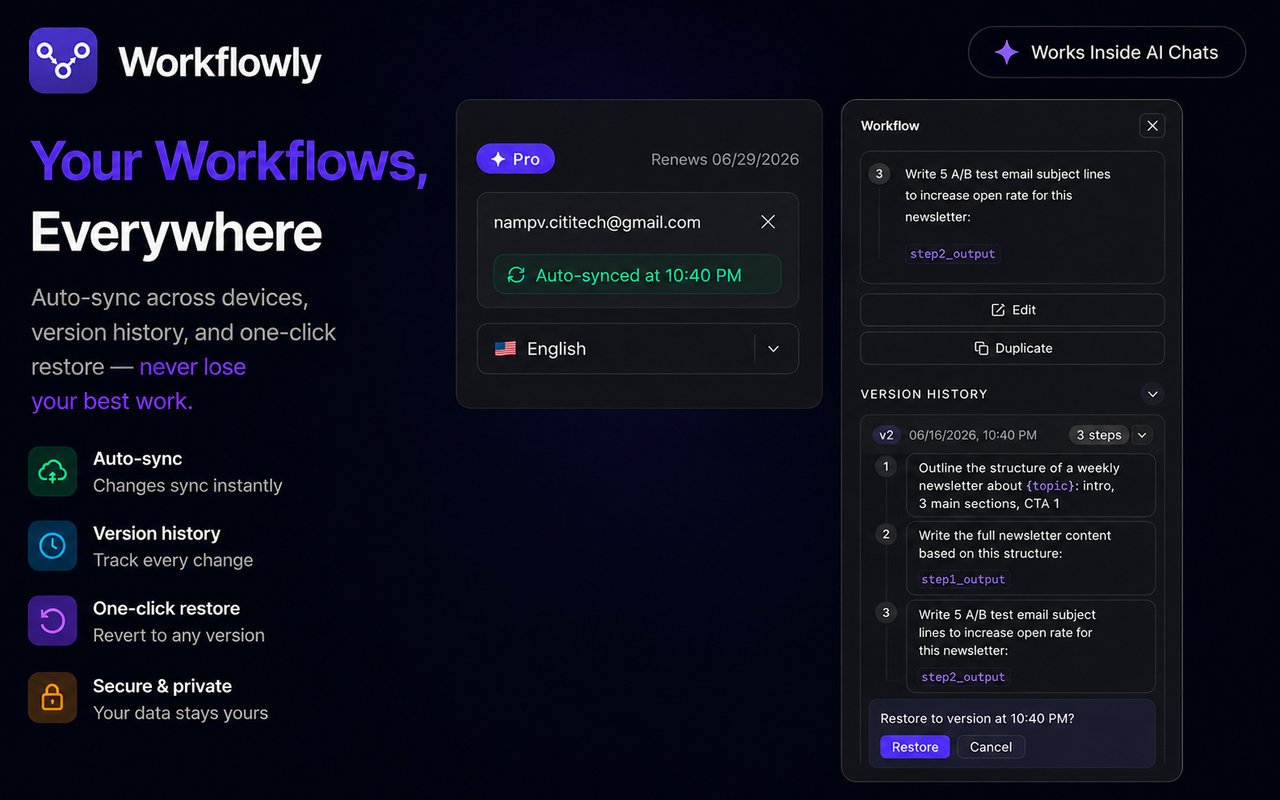
Your Workflows,
Everywhere

Auto-sync across devices, version history, and one-click restore — never lose your best work.

Auto-sync
Changes sync instantly
Version history
Track every change
One-click restore
Revert to any version
Secure & private
Your data stays yours
With analytics
Prompt Dashboard

From prompt to workflow in seconds.

Launch prompts or run multi-step AI workflows directly inside ChatGPT, Claude, Gemini, and other AI platforms — without switching tabs or copying and pasting.

1

Open Prompt Bar or Workflow Bar

Type pb: to open Prompt Bar or wb: to open Workflow Bar. You can also click the launcher button next to the chat input.
2

Choose a prompt or workflow

Search your library instantly, browse recent items, and select the prompt or workflow you want to run.
3

Fill variables & preview

Enter values for {{variables}}, review the generated prompt, and confirm everything before running.
4

Review AI outputs between steps

Capture, review, and refine outputs at every step — for better results and zero copy-paste.
5

Continue the workflow

Workflowly uses the reviewed output as input for the next step, helping you complete complex AI tasks with consistency and speed.

Start for free.

No credit card required. Upgrade anytime when you need more.

Free

Everything you need to get started
$0
forever
10 Prompts
3 Workflows
Up to 3 Steps per Workflow
Prompt Bar + Workflow Bar
Popup Launcher
Dynamic Variables + Live Preview
Import / Export JSON
Bulk Actions
Works on 7 AI Platforms
Cloud Sync
Version History & Restore
Unlimited Prompts
Unlimited Workflows
Unlimited Workflow Steps

Frequently asked questions.

Does Workflowly interfere with ChatGPT, Claude, or Gemini?
Not at all. Workflowly only appears when you explicitly open Prompt Bar (pb:) or Workflow Bar (wb:), or click the launcher button. When not in use, it stays completely out of the way and does not change how your AI platform works.
What is the difference between prompts and workflows?
Prompts are single reusable instructions that you can launch instantly. Workflows are multi-step processes that chain prompts together, capture AI outputs between steps, and help you complete repeatable tasks without manual copy-paste.
Where is my data stored?
On the Free plan, all prompts and workflows are stored locally in your browser. Pro users can enable cloud sync to securely access their library across multiple devices.
How do variables work?
Create prompts or workflows using placeholders such as {{topic}}, {{language}}, or {{audience}}. When you run them, Workflowly asks for the values, previews the final result, and inserts the completed prompt automatically.
Do I need an account to use Workflowly?
No. You can use Workflowly's Free plan without creating an account. An account is only required if you want Pro features such as cloud sync across devices.
Which AI platforms does Workflowly support?
Workflowly works inside ChatGPT, Claude, Gemini, DeepSeek, Grok, Perplexity, and other major AI chat platforms. New platforms are added regularly.
Can I import or export my prompts and workflows?
Yes. Workflowly supports JSON import and export, making it easy to back up, migrate, or share your prompts and workflows.